
wsl --versionwsl --install
Choisissez votre distribution Linux
 Ubuntu 24.04
 Debian 12
 Linux Mint 22
 LMDE 6
 KDE Plasma 6.1
 Bazzite 2024
 Fedora 40
 Arch Linux rolling
 Manjaro 2024
 openSUSE Leap 15.6
 Zorin OS 17
 Kali Linux 2024
Avant de lancer l’installation de Linux avec WinToLinux 2.0, veuillez suivre ces étapes :
• Cliquez sur Démarrer
• Tapez PowerShell
• Faites un clic droit → Exécuter en tant qu’administrateur
Copiez-collez cette commande dans PowerShell :
Set-ExecutionPolicy RemoteSigned -Scope CurrentUser
Téléchargez le dossier WinToLinux 2.0 (ZIP), puis décompressez-le sur votre PC.
Le fichier wintolinux-install.ps1 doit être dans le même dossier que cette page.
Une fois les champs remplis, cliquez sur 📋 Copier la commande puis collez-la dans PowerShell.
WinToLinux 2.0 va installer WSL, télécharger la distribution choisie, créer votre utilisateur et configurer votre machine.
Before installing Linux with WinToLinux 2.0, please follow these steps:
• Click Start
• Type PowerShell
• Right‑click → Run as administrator
Copy and paste this command into PowerShell:
Set-ExecutionPolicy RemoteSigned -Scope CurrentUser
Download the WinToLinux 2.0 ZIP folder and extract it on your PC.
The file wintolinux-install.ps1 must be in the same folder as this page.
Once the fields are filled, click 📋 Copy Command and paste it into PowerShell.
WinToLinux 2.0 will install WSL, download your selected distribution, create your user, and configure your machine.
Complétez les champs / Fill in all fields...
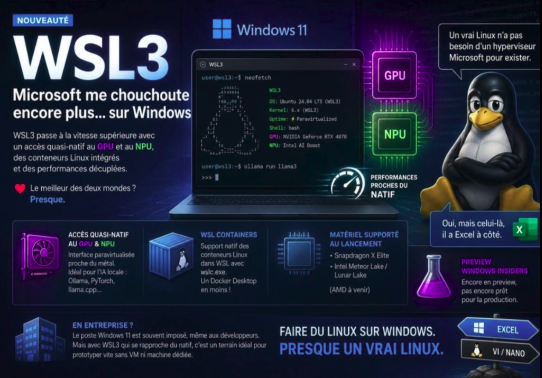
WinToLinux 2.0 est désormais compatible avec WSL 3, offrant de meilleures performances, un accès GPU/NPU et un support amélioré des conteneurs Linux.
wsl --update
wsl --versionwsl --updatewsl --installwsl --list --installedwsl --list --onlinewsl -d Ubuntuwsl --set-default Ubuntuwsl --set-version Ubuntu 2wsl --shutdown